
About
Give your Minecraft server a real website.
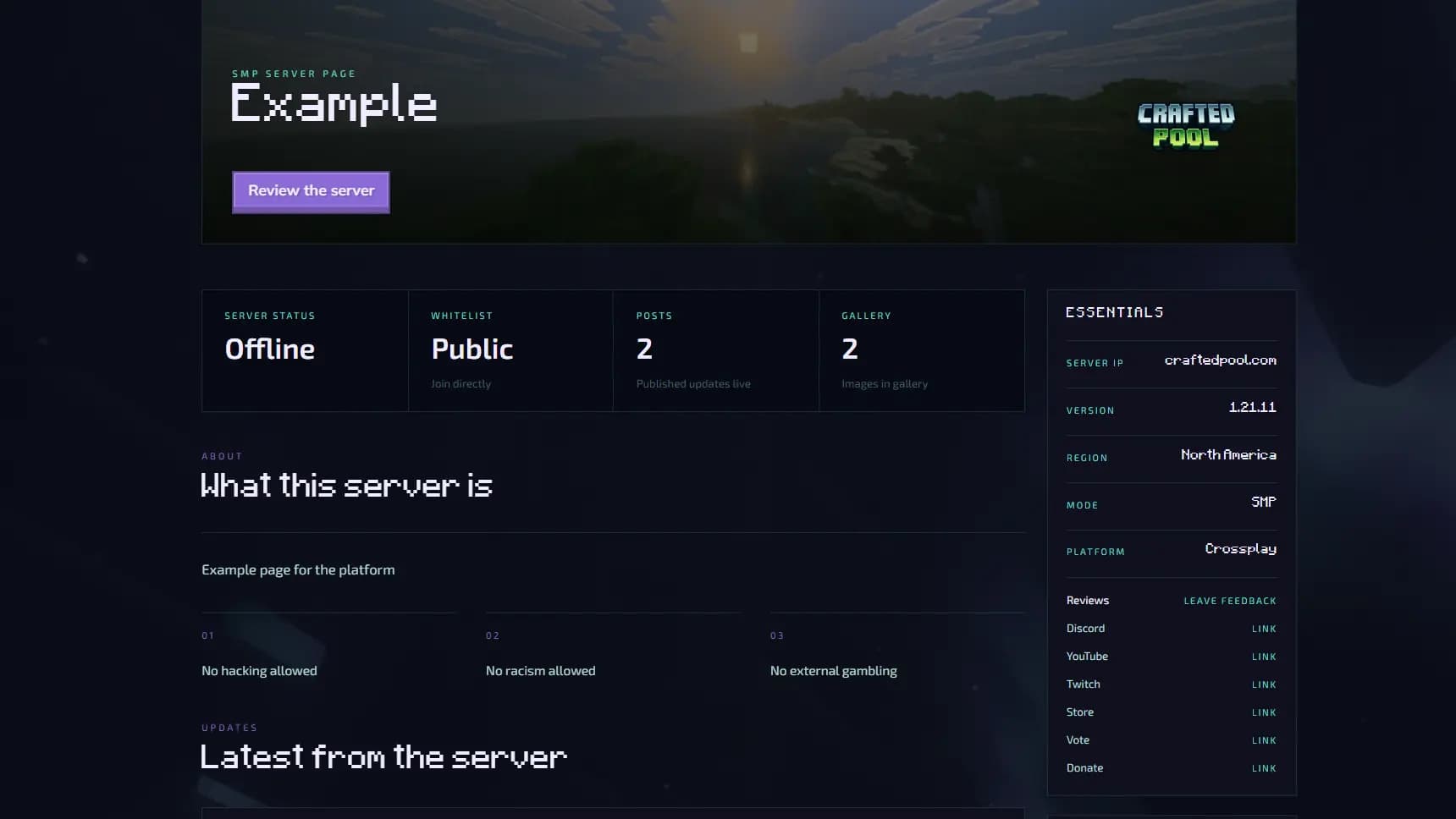
Not a pinned Discord message. Not a forgotten forum post. A page that tells people what the server is, shows it is active, and gives them one clear thing to do next.
Why it exists
Most Minecraft servers do not have a real web presence. The standard setup is a pinned Discord message with an IP address, a Google Form for whitelist applications, and maybe a forum post that nobody has updated in two years. That works fine for players who are already part of the community and know where to look. For anyone arriving from outside, whether from a listing site, a friend's recommendation, or a search, it is not enough to make a decision. The server might be thriving. It might have shut down six months ago. From the outside, there is often no way to tell.
That gap costs servers players every day. Not because the server is bad, but because the first impression is broken. CraftedPool exists to fix it without requiring server owners to build something from scratch or maintain a separate website. You enter the server IP, fill in the sections that are relevant, and publish. The result is a page at a clean URL you can share anywhere, that represents the server accurately and stays current without you having to touch it every time something changes.
How it works
Enter your server IP
CraftedPool connects to the server and pulls the details players look for first. Whether it is online, how many people are playing, what version it is running. You do not type any of it manually, and it stays accurate on its own from that point forward.
Build the page
Add your pitch, upload a banner, write your application questions, pick a theme that fits the server's identity. Every section is optional. Fill in what is relevant to your server and leave the rest off. A small private whitelist and a large public network can both use CraftedPool and end up with a page that feels right for what they actually are.
Publish it
One URL. Share it in Discord, paste it on a listing site, add it to your server's MOTD. Wherever someone might want to learn more about the server, that link works. The page handles the rest.
What a page includes
Discovery
Every page shows live server status and real-time player count pulled directly from the server. Visitors see whether it is online and how many people are playing before they read a single line of your description. Alongside that, the page lives at a clean public URL you own and can send anywhere, so there is one address that covers everything about the server instead of three different links depending on what someone is looking for.
Community
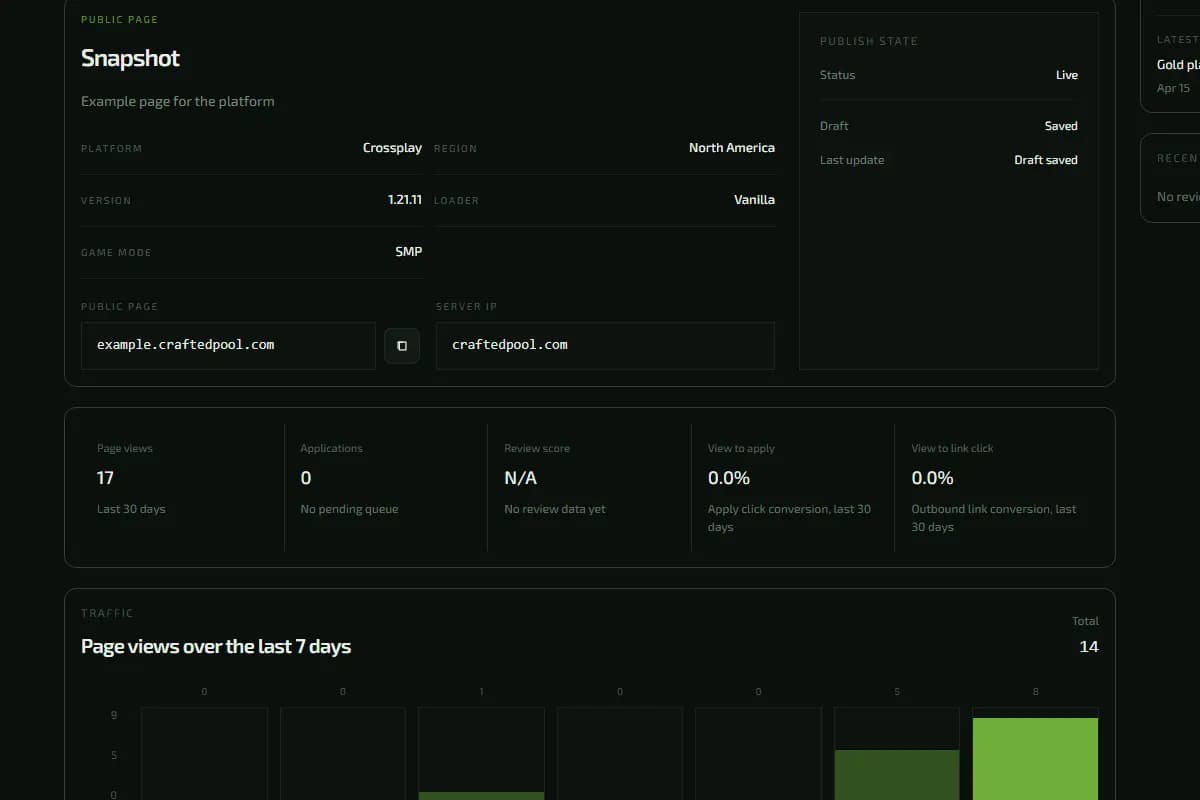
Beyond the basics, owners can add a full description, a banner image, a staff list, server rules, a photo gallery, and posts for announcements, patch notes, or season updates. These are the things that make a page feel like the server is real and actively maintained. A page with recent posts and a proper description reads completely differently from a page with just an IP and a player count. It signals that someone is running the server with intention.
Applications
For whitelist servers, CraftedPool replaces the Google Form and the Discord thread with a proper application system built into the page. You write the questions, set the format, and all submissions come into one dashboard. No chasing replies across platforms, no sorting through a shared spreadsheet, no copy-pasting answers into somewhere else to review them.
Shop
On higher plans, the page can include a shop where players browse and purchase ranks, cosmetics, or packages directly. They do not get sent to a separate site or a third-party storefront. The whole thing happens on the page, which means fewer drop-offs and a cleaner experience for the player.
Who it is for
CraftedPool is built for server owners who want the server to look like they care about it. When someone lands on the page, the feeling should be that this server was built with intention, not assembled from whatever free tools happened to be available at the time.
It works for whitelist communities that need a proper application process, public survival servers that want to show a live player count, creative servers that want to display a gallery, and roleplay or minigame networks that need to explain a more complex concept clearly before someone commits to joining. The player count does not matter. Ten regulars or five hundred, the goal is the same: one solid page that does the job instead of a pile of disconnected links that make the server look abandoned.
The Explore page lists all published servers and is publicly browsable.
Plans
The free plan is permanent. There is no trial period, no expiry date, and no card required to get started. It covers a public page with live status, player count, and review integration, which is enough for a lot of servers.
Paid plans build on that with application forms, a photo gallery, a shop storefront, a custom subdomain, full analytics, and the option to remove CraftedPool branding from the page. Full details are on the pricing page.
Frequently asked questions
Is CraftedPool free to use?+
Yes. The free plan (Coal) gives you a permanent public page with live server status, player count, and review integration. It does not expire and does not require a credit card. Paid plans unlock additional features like application forms, a shop storefront, custom subdomains, and analytics.
What is the difference between a CraftedPool page and a server listing?+
Server listing sites let players search a directory to find servers. A CraftedPool page is your server's own dedicated URL, a page you control, with your branding, your description, your application questions, and your shop. You can link to it from anywhere and it stays consistent regardless of whether you are also listed elsewhere.
What Minecraft server versions and platforms are supported?+
CraftedPool works with any server that responds to a standard Minecraft status ping, including Java Edition, Bedrock Edition, and proxies like Velocity and BungeeCord. Software like Paper, Spigot, Purpur, Fabric, and Forge all work as long as the server accepts connections on a public IP or hostname.
Do I need to install anything on my server?+
No. CraftedPool queries your server's public address over the network to pull status data. There is no plugin, no mod, and no configuration required on the server itself. You just provide the IP or hostname when setting up your page.
Can players apply to join the server through the page?+
Yes, on the Iron plan and above. You define the questions, and applications are collected in your dashboard. You can review, approve, or decline them in one place rather than parsing Discord threads or shared spreadsheets.
How does the shop work?+
The shop is available on the Gold plan. You create listings for ranks, cosmetics, or any packages you sell, and players can browse and purchase directly from your CraftedPool page. Payments are processed through Stripe and funds go to your connected account.
Can I use my own domain or subdomain?+
On the Gold plan you can set a custom subdomain under craftedpool.com, such as yourserver.craftedpool.com. Full custom domain support is not currently available.